2026 EdTech Submission
College Prep Solution
Integrated academic and AP testing and grading platform.
Our Online Test Builder allows the Compass curriculum team to construct tests of any length or format for any subject. It is a truly flexible system!


How It Works
Test designers are asked to first enter metadata categories for tagging individual questions and to elect whether these tags appear in the student’s ultimate score report as tags on individual questions or grouped categories for reporting. For instance, a chemistry test might have multiple related metadata tags: thermodynamics, open systems, and closed systems. The first could be set up as a grouped category so a student can see how they perform across all thermodynamics questions while individual questions would either be tagged as open or closed systems. This control of granularity allows tutors and students to home in on the weakest content areas.
Test designers add sections to include either multiple choice or free-response questions. Significantly, they also allow for testing accommodations by setting the time allowed for students with regular timing, 50% extended timing, and double timing. Our aim is to make our tests as accessible as possible. Not all sections are equal, so the system is designed to accommodate both the raw points of an individual question and the weighted points for a section. This allows a test to have a section with 3 questions worth 15 raw points and a section with 30 questions worth 30 raw points to each ultimately reflect 50% of total score.
The Structure
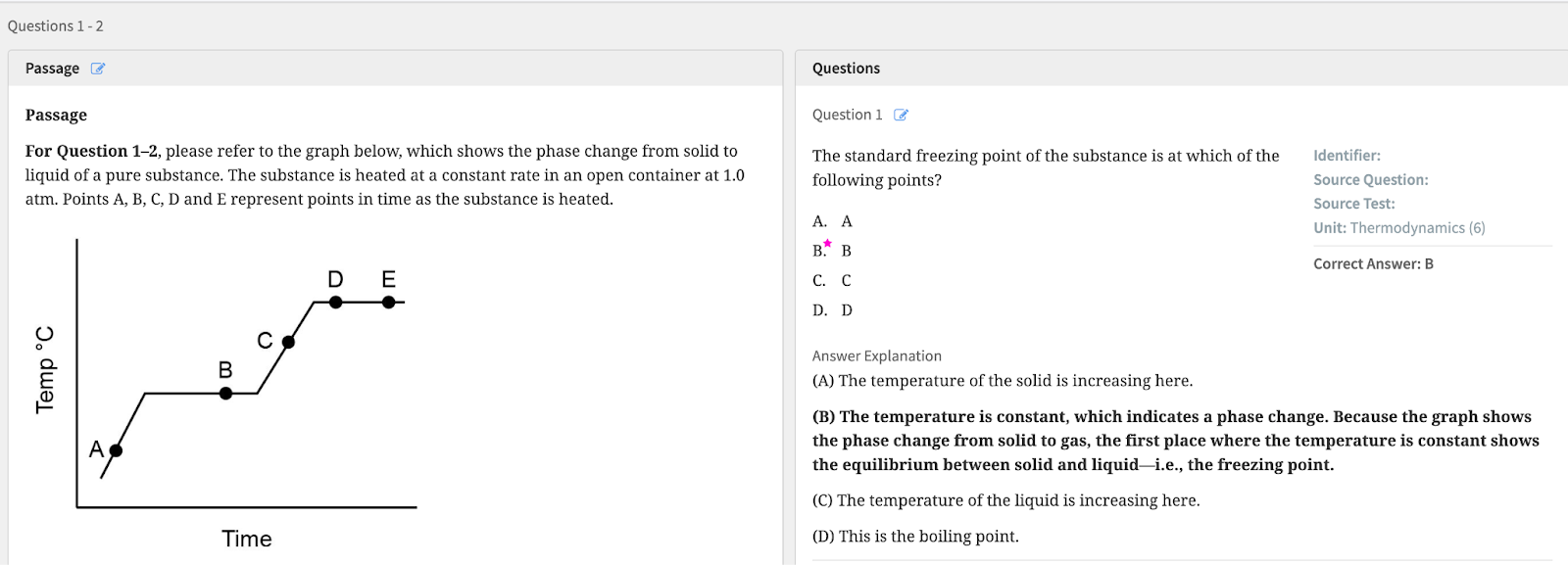
Our structure allows for a passage followed by multiple questions or one-off questions. Test designers also add explanations for the correct answer.
Free Response Questions
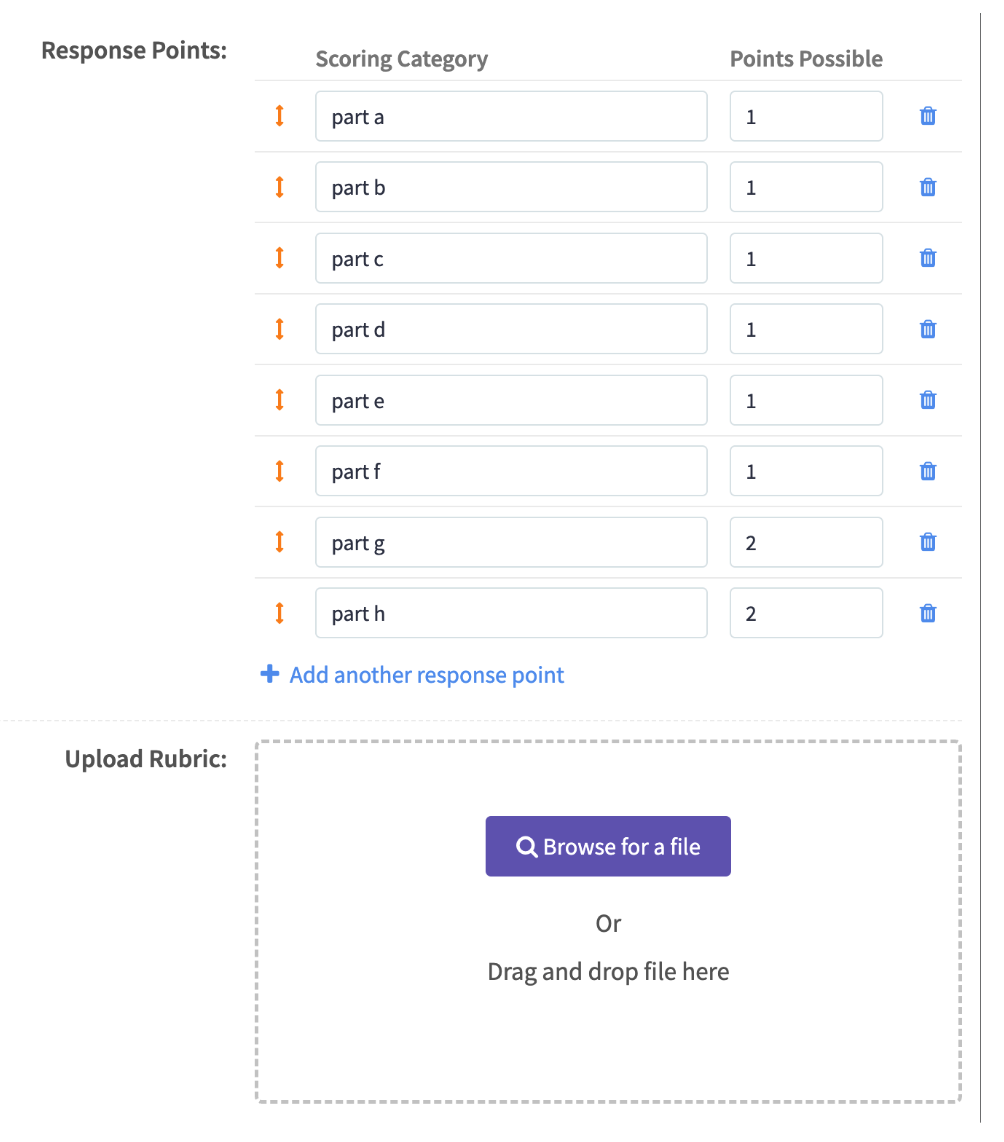
Free-response questions allow for multi-part grading with varying numbers of points available by part. Grading rubrics can be uploaded to display to graders and students.
KaTeX
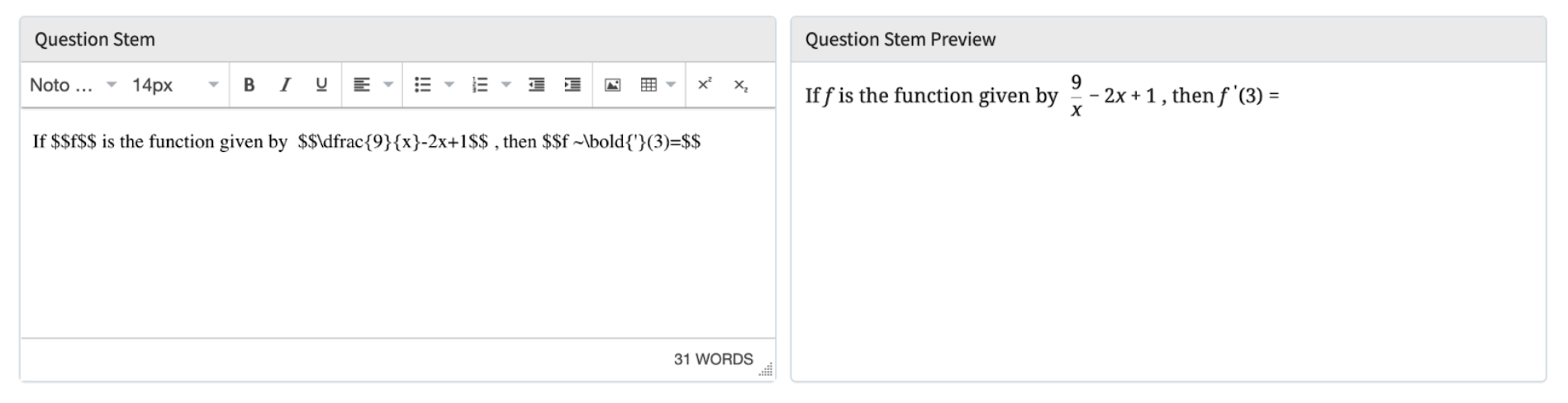
We have integrated KaTeX to allow test designers to easily enter math problems and instantly see a preview of the question as it will display to students.
Our curriculum team also adds an overall score explanation to the test so that students understand how the composite parts make up the final grade on their score report.
Student Testing Center
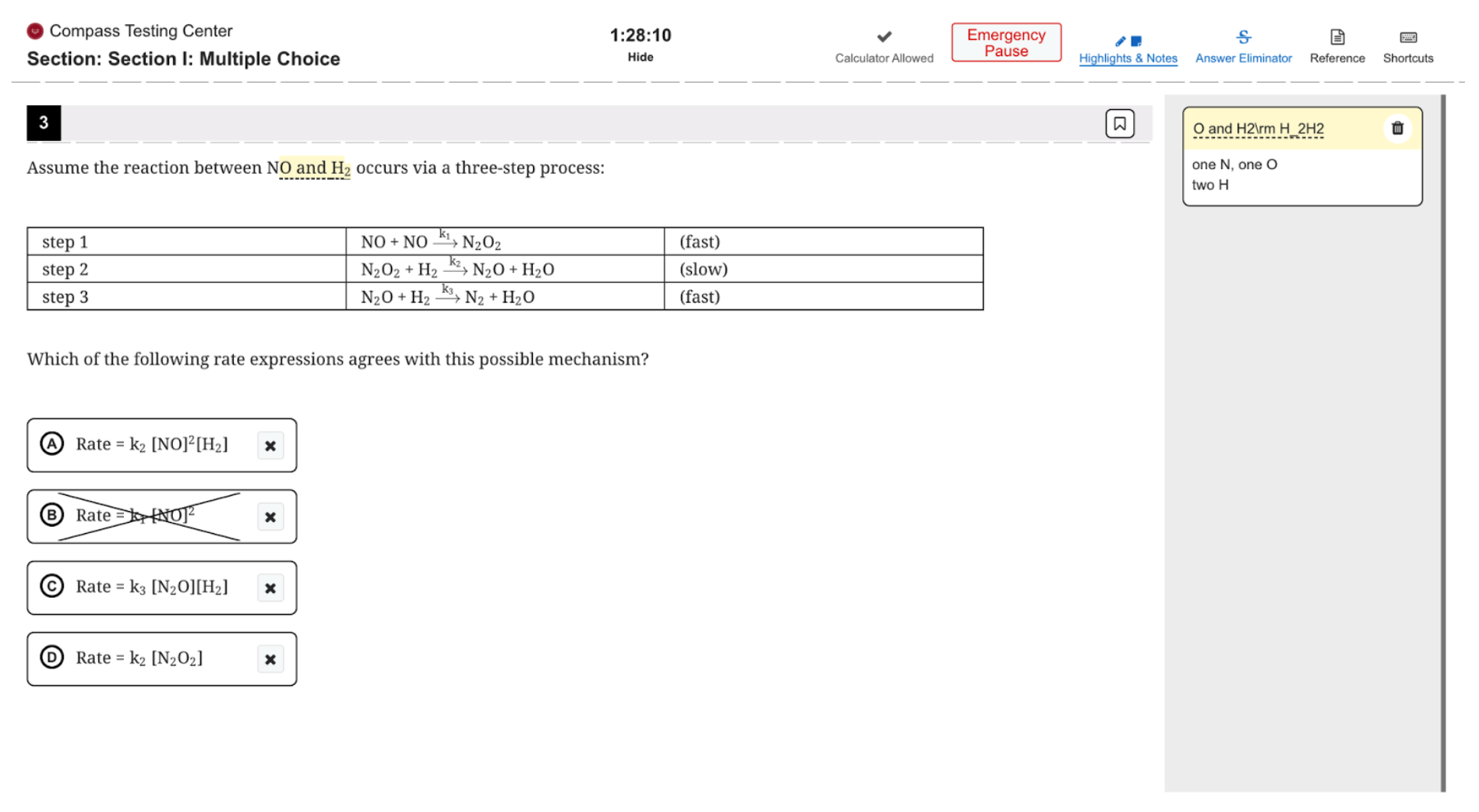
When a student registers for a practice test, either as part of a tutoring program or for their own at-home practice, they are given a window in which they can access the test. To make the experience as realistic as possible, once the clock starts running – it doesn’t stop! That said, we did add an emergency pause button to reduce stress (students are limited to how many times they can use an emergency pause during a test). We do not allow students to advance to the next section until their time is up – again, trying to make this as close to real testing situations as possible!
Student Testing Tools
Students taking an online academic test with Compass have access to testing tools to aid their process. The Highlights & Notes tool is particularly effective for keeping track of their thinking. (More on this in the score report section).
Answer Eliminator allows students to cross off wrong answer choices to get the full benefit of the process of elimination.
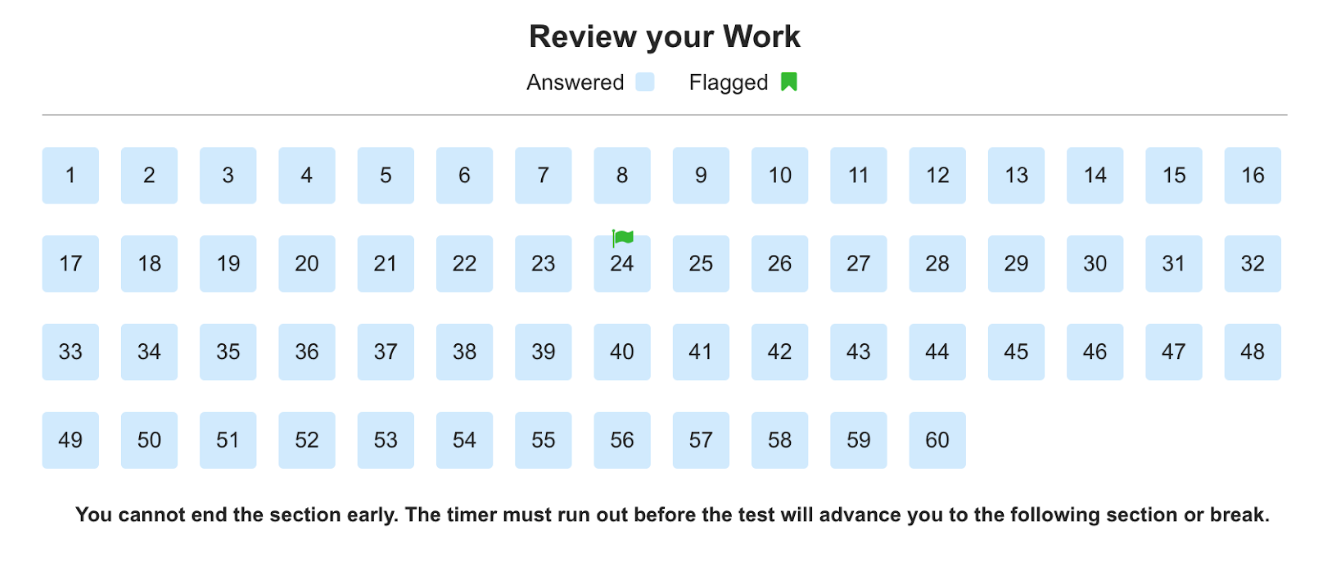
At the end of a section, students are presented with a “Review Your Work” page that indicates which questions they have answered, which they skipped, and which they flagged for further review.
Free Response Questions
When it comes to Free Response Questions, or questions where students are expected to produce their own answers in the form of essays or math solutions, Compass tests allow for two types of student entries: typed and uploaded. Highly trained Compass team members review, grade, and provide feedback to students on their free responses. Why not use AI to grade written responses? We believe that as long as tests like the APs are graded by humans, our practice tests should likewise be graded by humans to accurately reflect and prepare students for the exam experience they will have.
Typed responses give students a compose window stripped of spell- and grammar-check tools.
Uploaded responses are opportunities for students to write out answers by hand (generally math and science) and then upload images using our unique answer uploader features.
Response Upload Feature
When a student arrives at a section that requires a handwritten response, they are provided with the question on screen and the instruction that they will be able to upload their answer at the end of the test without impacting their time.
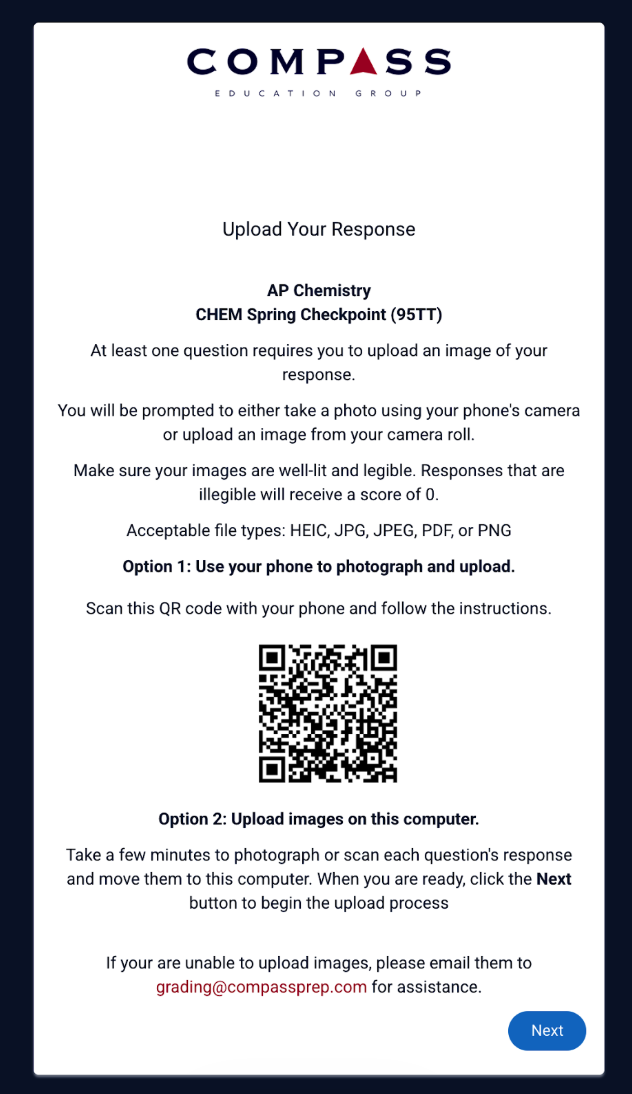
Most students test on a laptop or desktop computer, but taking images is much easier by mobile phone. Our platform harnesses the ease of each computing modality: at the end of the test, students on their laptop screen view a QR code.
Scanning the QR Code
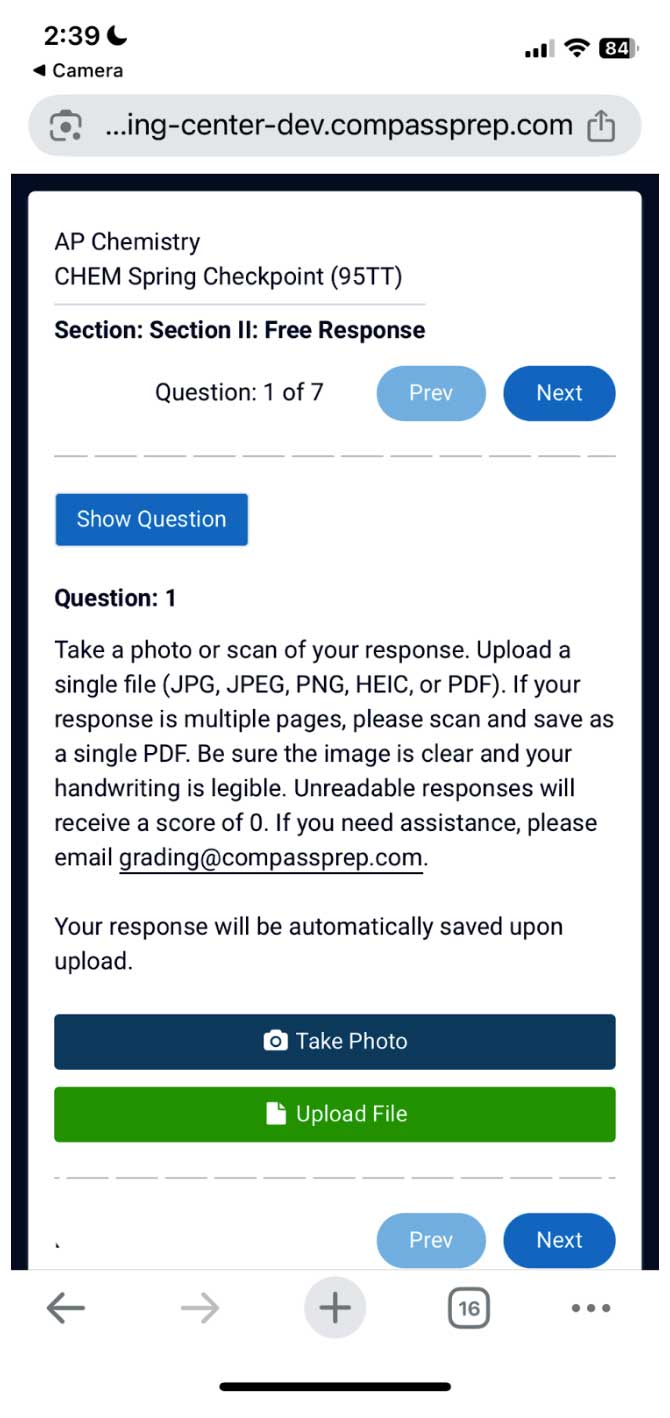
Scanning this QR code above with their phone takes students to a mobile-friendly image grab screen.
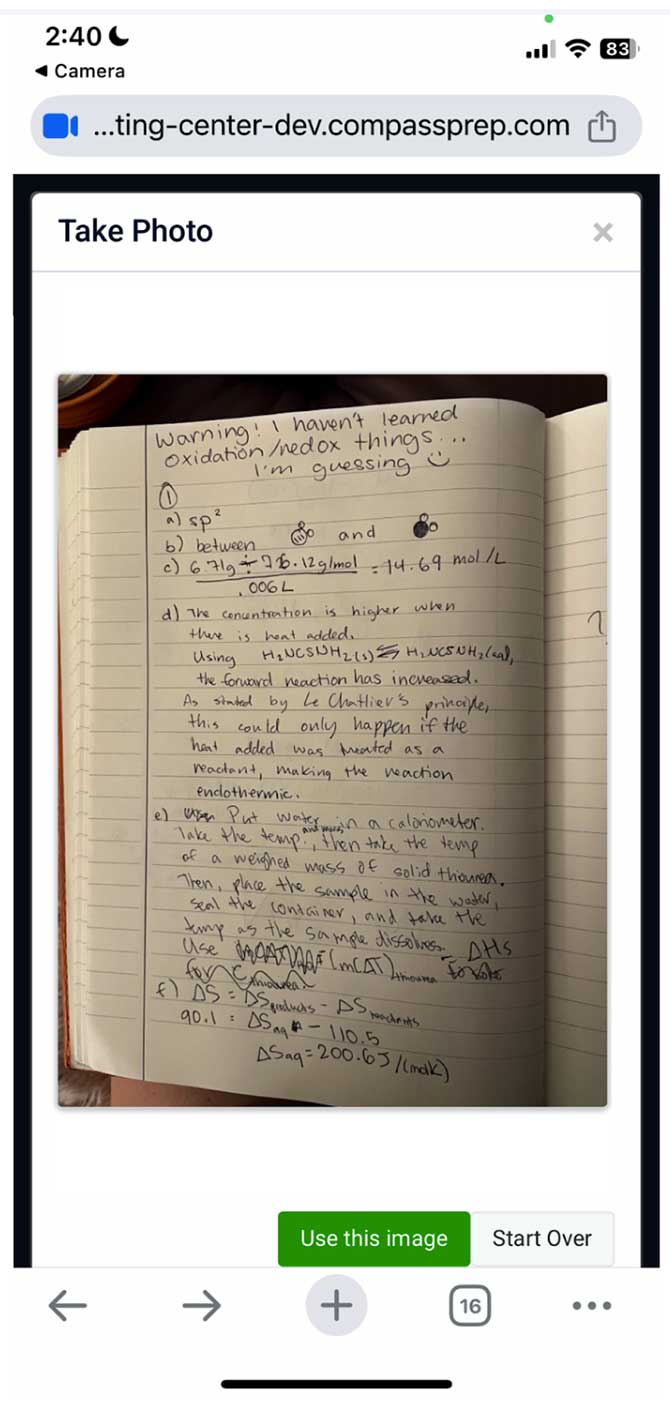
Clicking Take Photo engages their camera so they can easily shoot their response. The example below shows the mobile view of the image preview.
Once saved, the image is ready to be graded and displayed on score reports so that students don’t need to keep track of their papers. Everything is contained in the platform and no messy transferring of files between devices was necessary.
We increased our FRQ completion rates dramatically by implementing this simplified workflow for students!
Grading Interface
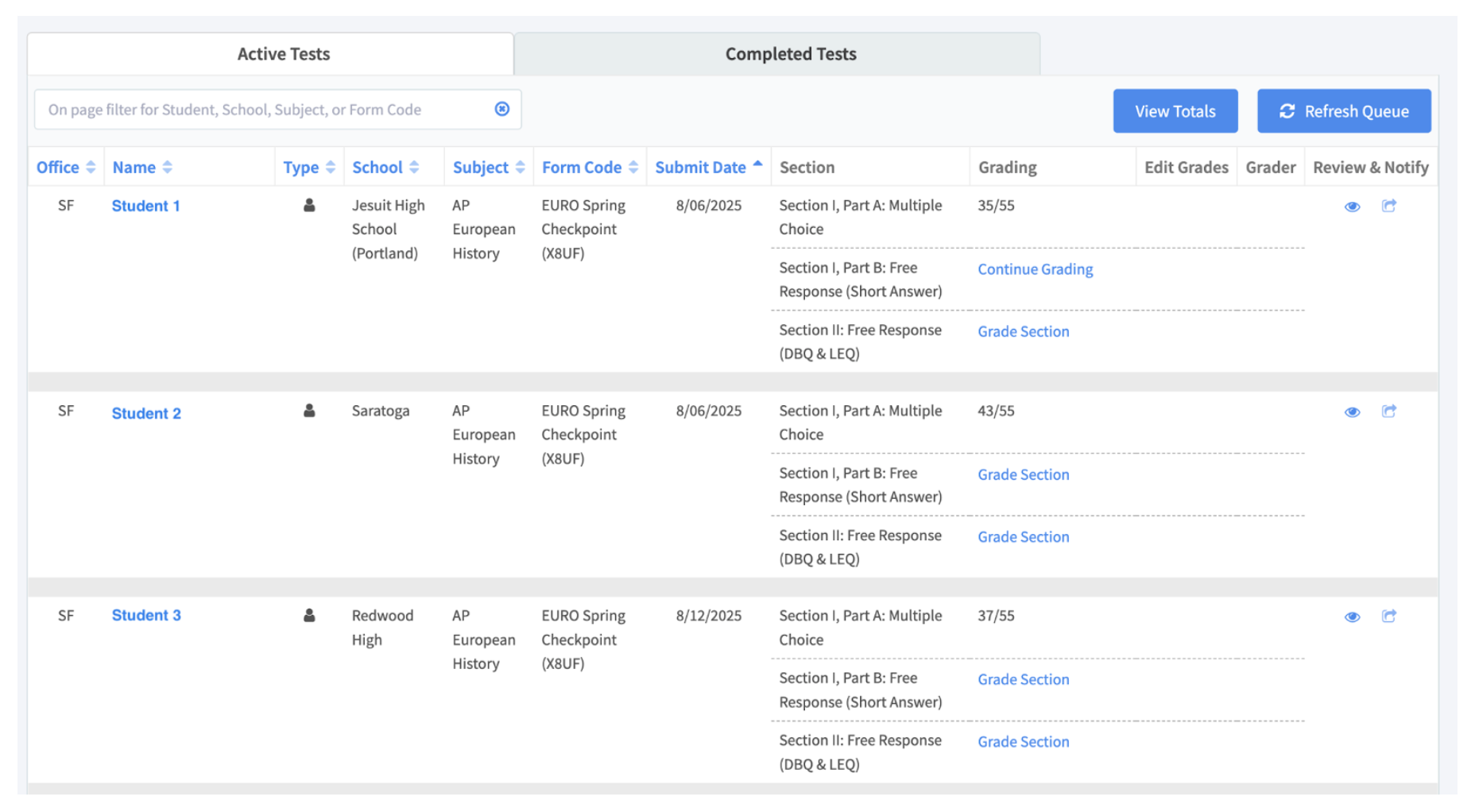
Once a student has uploaded their response, it becomes available to graders in Compass’ Academic Test Queue.
Graders can easily filter or sort the tests needing grading by subject or form code so that they can efficiently work through the queue. If another grader has selected a test to work on, the grading status changes to “Grading Underway” and the link is disabled to avoid duplicate grading sessions.
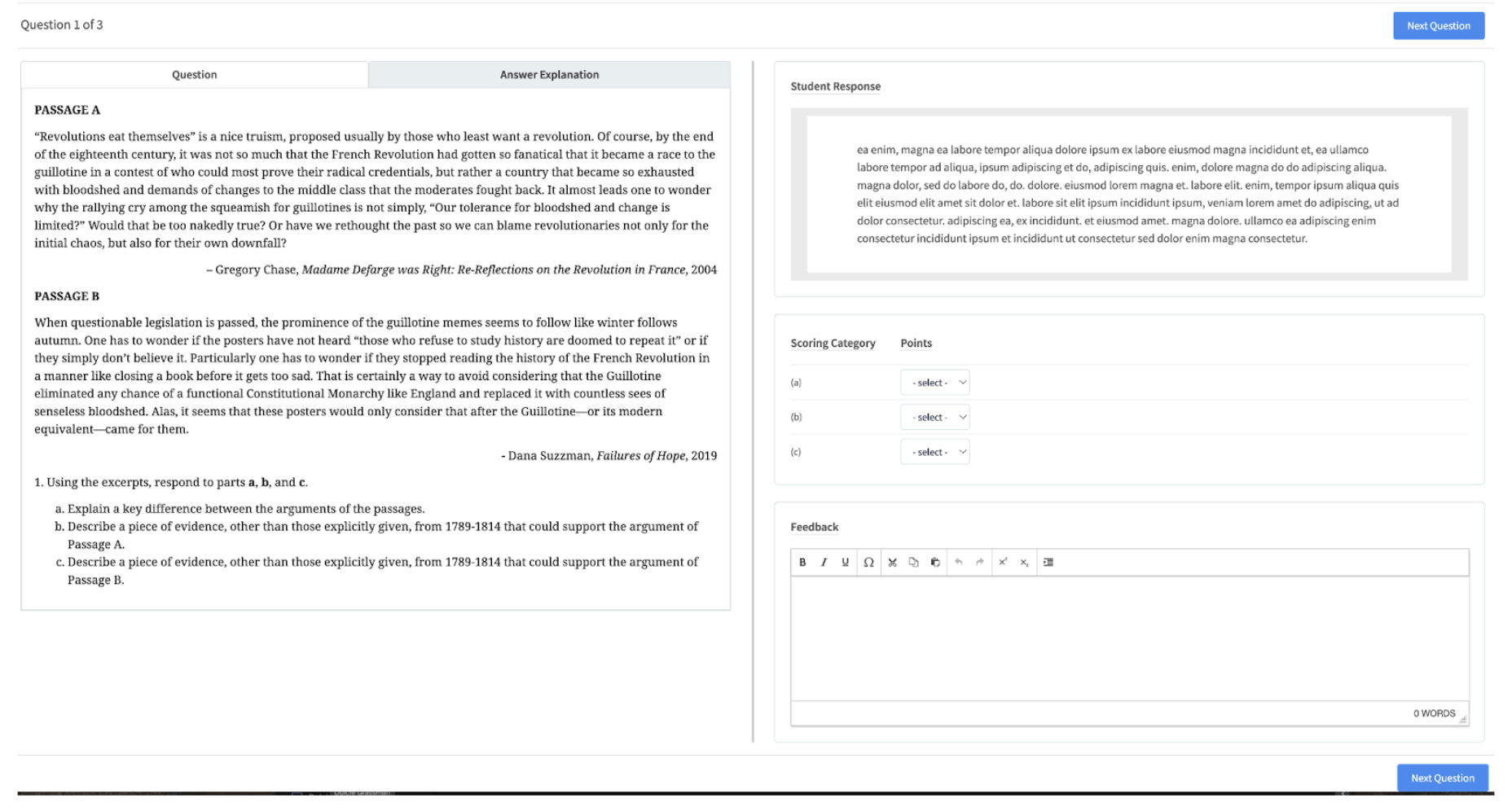
When a grader clicks on the Grade Section link, they enter the grading interface designed by our team.
On the left, the question is presented. On the right, the student’s response (either in typed or image form) with the scoring categories and point selectors. The feedback compose window allows graders to offer constructive criticism to help students improve their subsequent responses. Sometimes this takes the form of explaining a problem, sometimes it is a suggestion on how to improve the structure of the response. For students who are not working with a Compass tutor, this specific and personalized feedback can make all the difference in their ultimate performance.
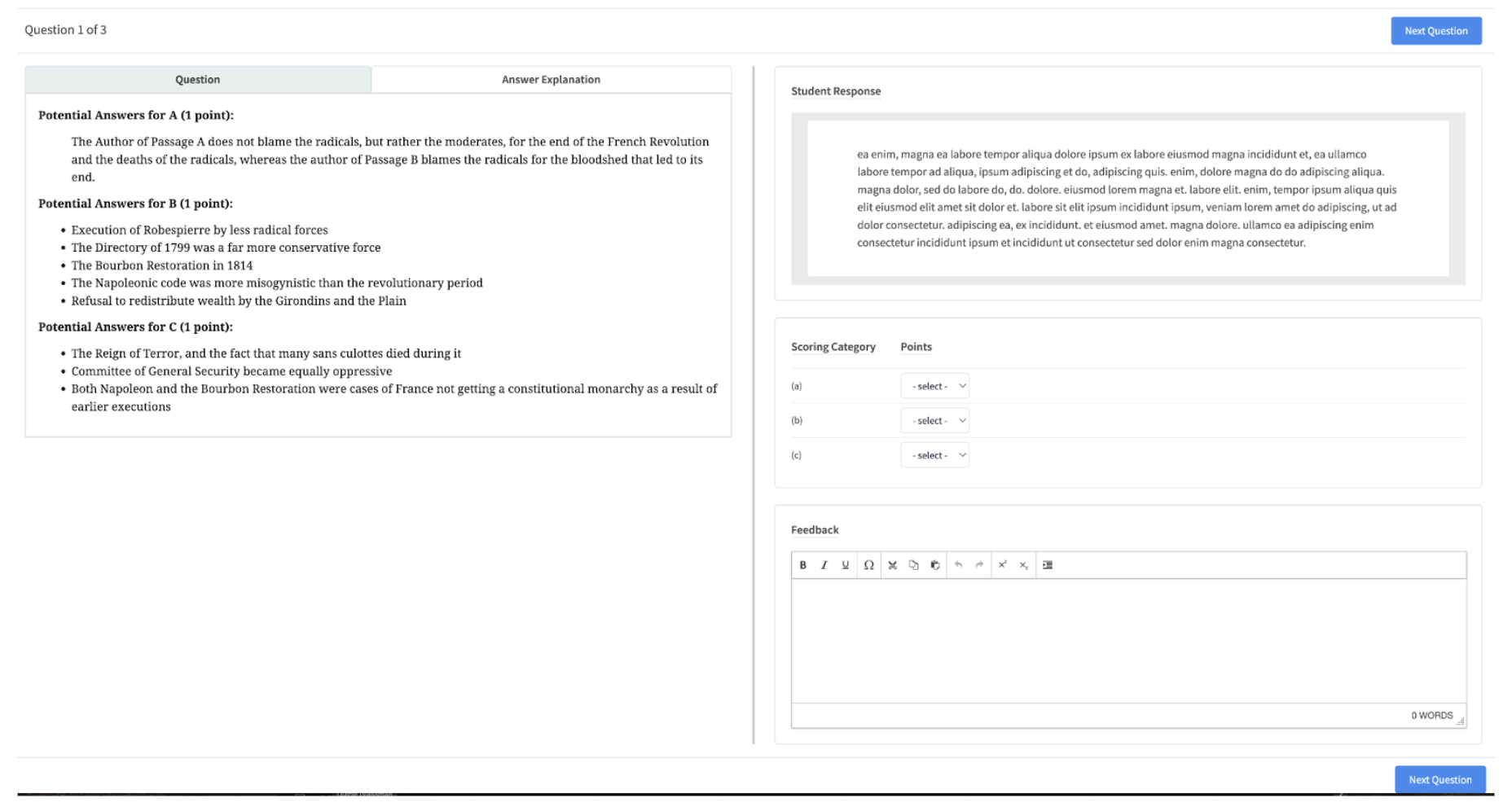
Compass offers many different academic tests, so graders have access to both the question given to the student and the answer explanation, often with a series of potential answers.
Graders efficiently read, grade, and respond, keeping the turnaround time for full scores under 48 hours in most cases.
Score Reports and Feedback
Sections comprising multiple-choice questions are automatically scored instantly by our grading engine. Students have instant access to the score report for these sections so that even if the grading of their free responses takes a day, they can meet with a tutor or review on their own their multiple-choice questions.
Their Compass account reflects the status of their score reports. In the example below, the student has received scores for the multiple choice in AP European History, but not for either Free Response; the 0/60 on Chemistry reflects a student who started the test, but then walked away from it. These sections can be reopened for a student when they are ready to take them.
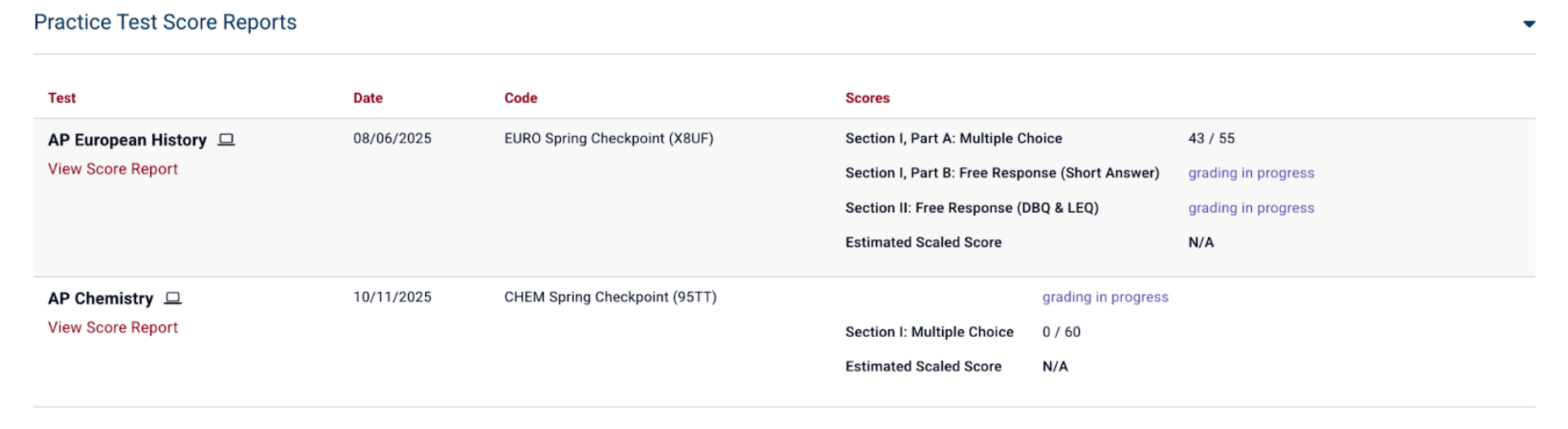
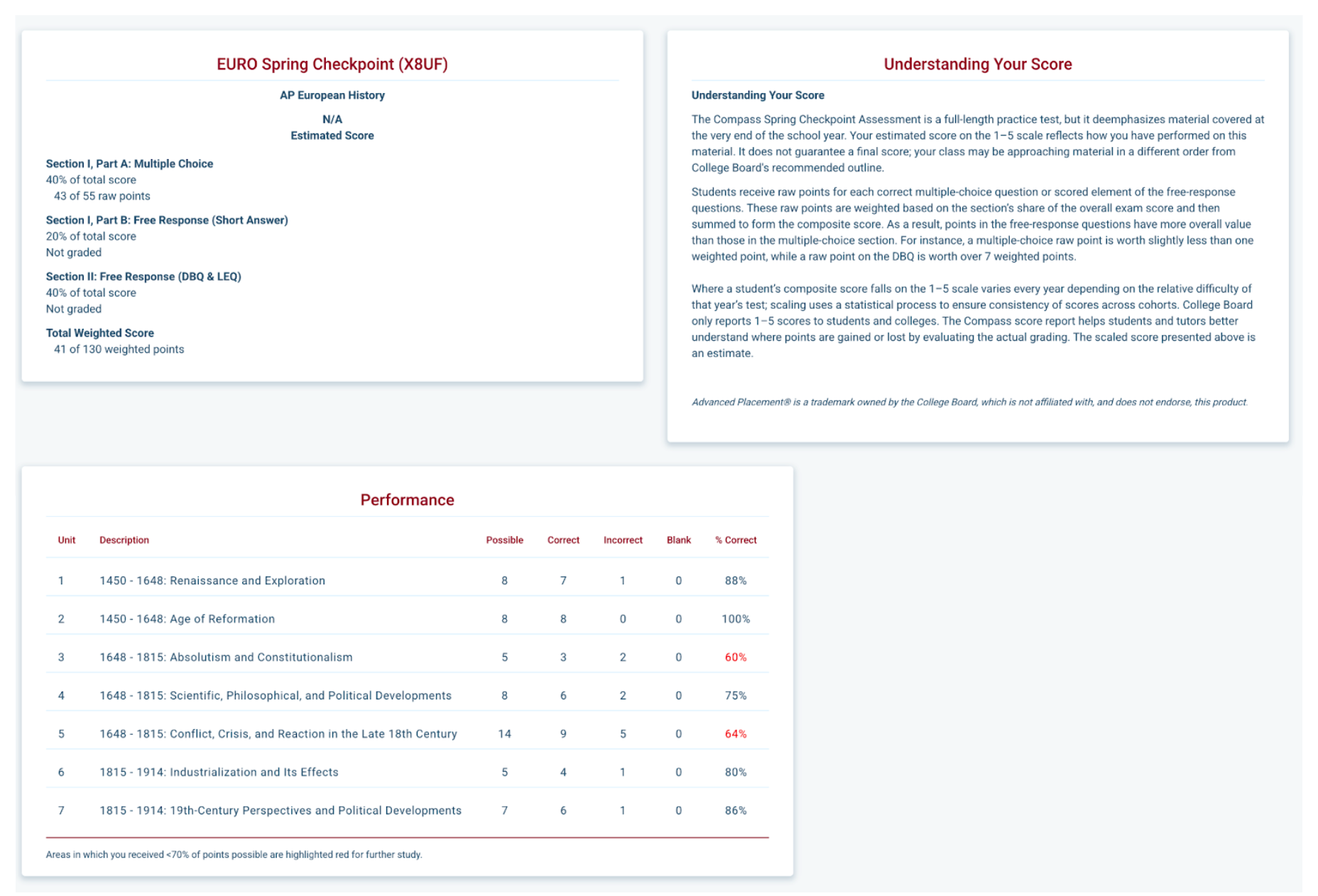
The score reports themselves contain an impressive amount of information.
Each section has a score or grading status. The Understanding Your Score section explains the overall meaning and structure of the scores. The Performance section uses the grouped metadata to clearly identify areas where the student would benefit from further study.
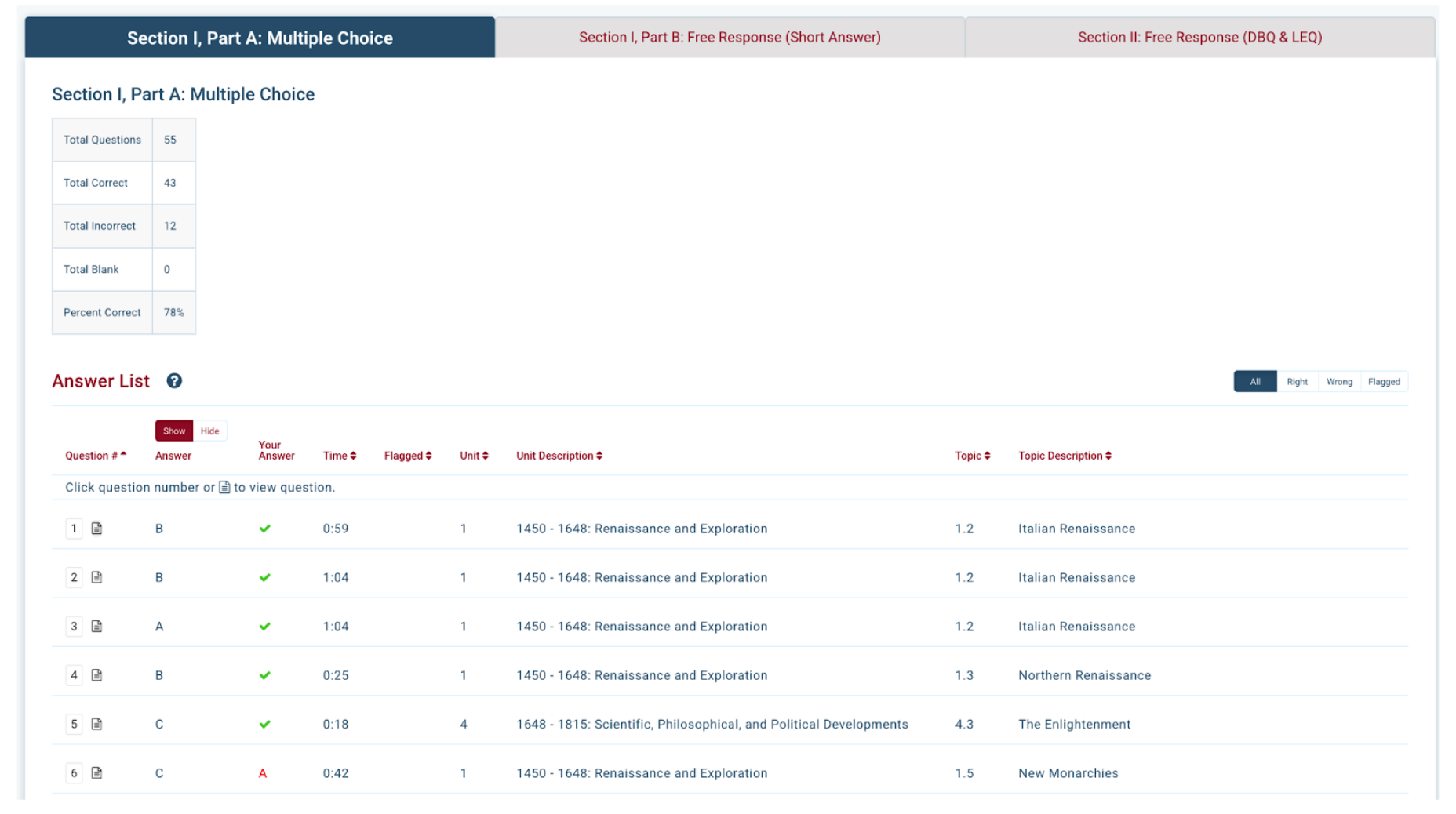
The Question List displays overall performance as well as the correct answer, the student’s answer and (importantly) the time spent on each question. If a question was flagged it appears as well. The metadata established by the test designers also appears here. The table is sortable and filterable so students and their tutors can key in on the important questions to review.
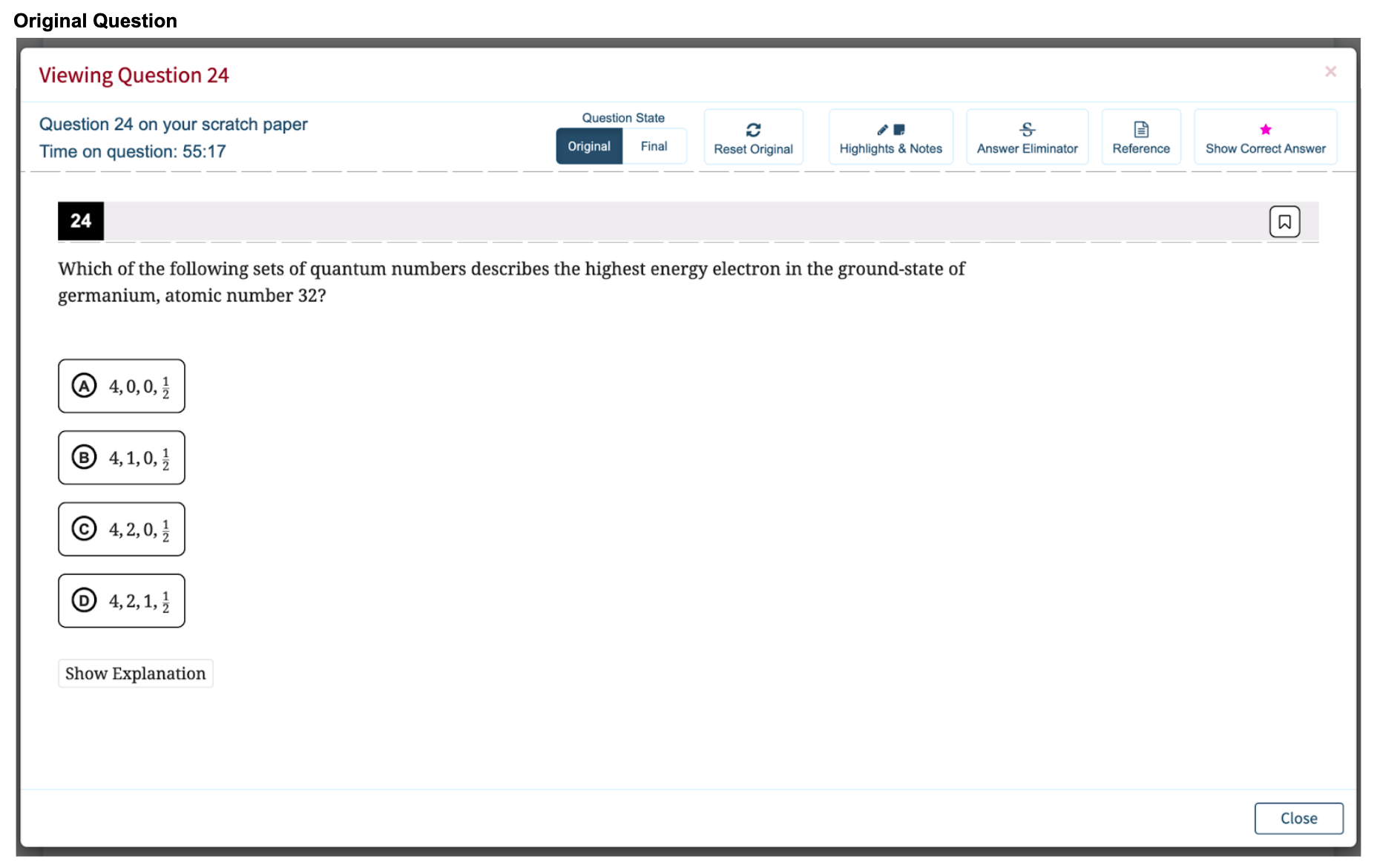
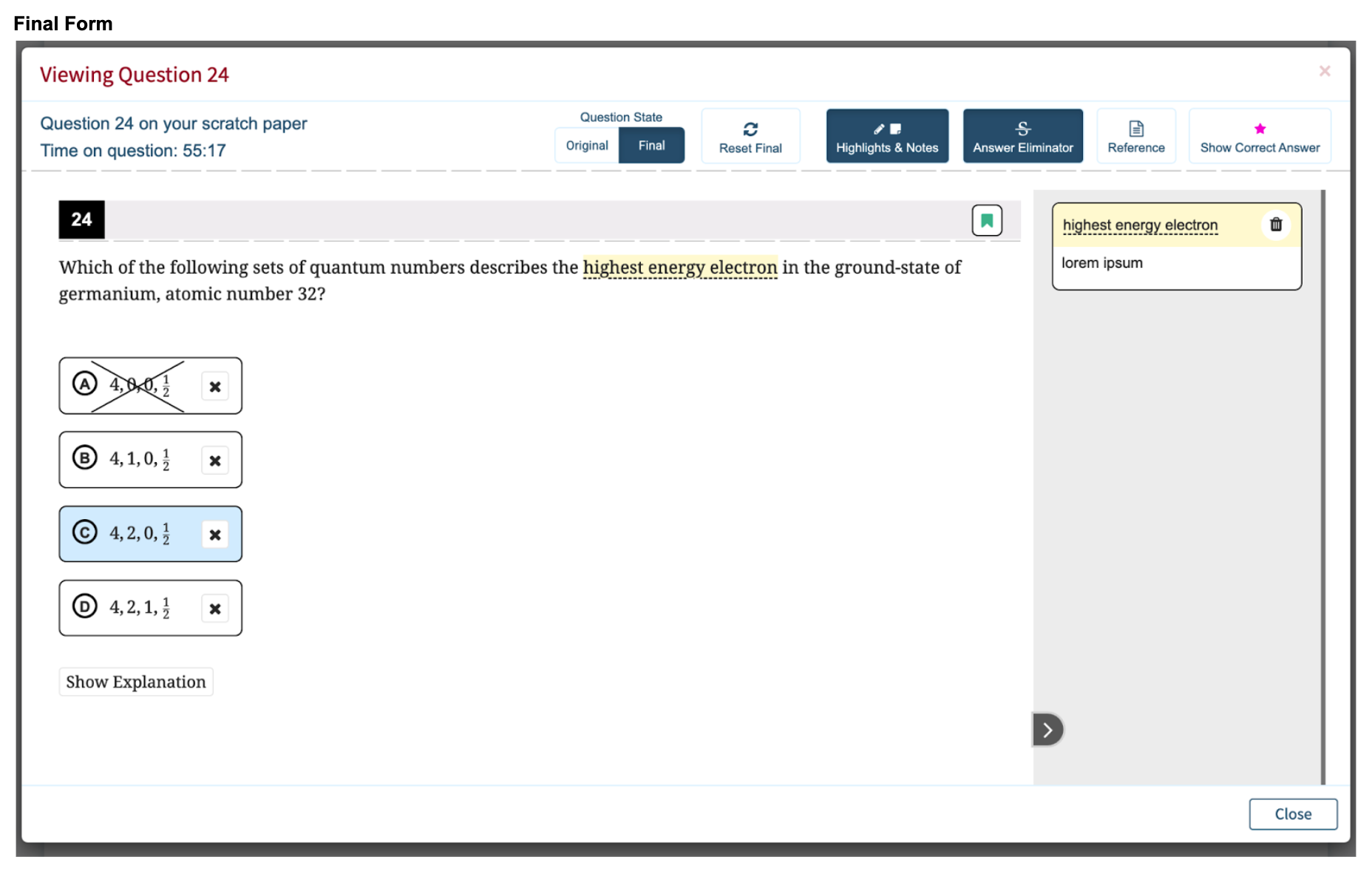
Clicking on any number in the the list pulls up the Question Viewer, the only difference between this and the test being that the student can either review the question in its unadulterated form, or they can view it in the final form they left it – with all their cross outs and notes.
The final form view is a uniquely Compass feature as we wanted to recreate the experience of reviewing a paper test taken in a digital format. How does a tutor know if the student is using all of the strategies they have been taught unless they can see the work. Final form allows us to view the work!
When a test has a final scaled score, and once the test has been fully scored, Compass administrative team members can notify the student that their full score report is complete.