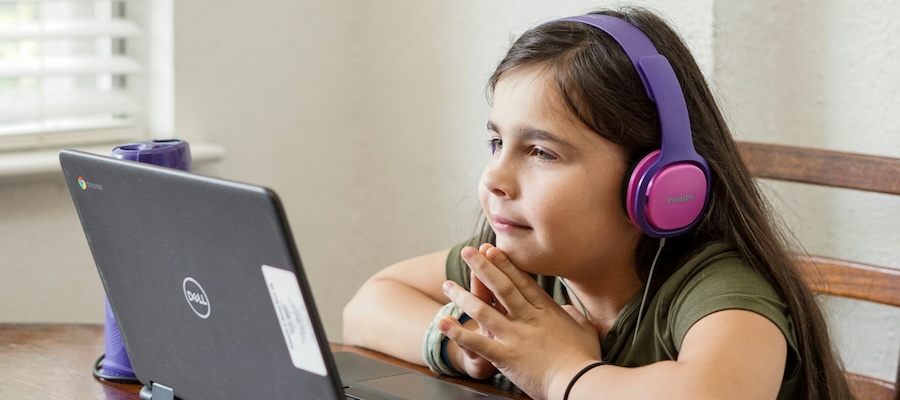
The ISEE at-home option gives students the flexibility to test in a familiar environment without sacrificing the structure and security of an official administration. ERB has administered more than 85,000 at-home exams with a 99% successful completion rate, but there are some potential pitfalls. Here’s what you should know to make the process as smooth as possible.
What technology does my student need?
You’ll need two devices: a computer or tablet with a built-in camera and microphone for taking the exam, and a cell phone or tablet to serve as a second camera. Both require app downloads — the ISEE by ERB secure testing app on the primary device, and Remote Proctor Connect on the second device. Both apps are available in the Apple App Store and Google Play.
What does the second camera actually do?
It monitors your student’s keyboard, hands, and desk area throughout the exam. It should be placed about 18 inches away and propped up so it stays steady. The device must remain plugged in for the duration of the test.
What’s prohibited in the testing room?
Books, dictionaries, calculators (unless pre-approved as an accommodation), extra electronic devices, and smart wearables are all off-limits. Students may not communicate with anyone during the test or access any applications outside the secure testing environment, which locks down the device automatically once the exam launches.
Who is proctoring the exam?
All remote proctors are either staff at ERB member schools or professionals trained directly by ERB.
What are the benefits of taking the test at home?
The biggest benefits are scheduling flexibility and a familiar testing environment. Students with testing anxiety may find that the ability to take the test in their own home is far more comfortable than in a prometric testing center. These centers provide testing for students and professionals of all ages, and it can be intimidating for a student to walk into a room full of adults taking tests for a range of certifications.
What are some of the risks associated with ISEE At-Home Digital Testing?
Proctoring can be a bit sensitive. A sibling walking through the background or a dog barking can cause a test to be cancelled. Internet drops are more likely at home if your internet is not stable, and the set-up can be stressful with two devices that need to be plugged in.
That said, if you have a quiet location at home with reliable internet and you set aside time in advance to check your set-up, the at-home experience can be very successful.
What identification does my student need?
All students must present an approved form of ID. Upper Level test-takers specifically need a photo ID. Accepted documents include a school ID, passport, state-issued ID, or driver’s permit, among others. For Primary, Lower, and Middle Level students, a birth certificate, school report card, or health insurance card is also acceptable.
What if something goes wrong on test day?
ERB’s support team is available Monday–Friday, 9 a.m.–5 p.m. EST at (800) 446-0320 or iseeoperations@erblearn.org. The Family Guide and an online FAQ are also available for quick reference.
Where can I learn more?
https://www.erblearn.org/families/isee-at-home/getting-started/
How do I prepare for an online at-home ISEE?
Speak with an experienced Compass Director about private tutoring and practice test options. Click here to schedule a call.